If you’re someone in IT infrastructure, database administration, or even small-to-mid-sized business operations, you’ve probably heard a lot of chatter lately about the M10 Series. As a supplier who’s worked with this line of hardware for the past seven years—supporting everything from edge deployments to core on-prem setups—I get asked one question more than any other: “Can the M10 Series actually handle database management, or is that just marketing fluff?” Let’s cut through the hype here. The short answer is yes, but the long answer depends on how you’re deploying databases, what kind of workloads you’re running, and how you’re leaning into the M10 Series’ unique design. M10 Series
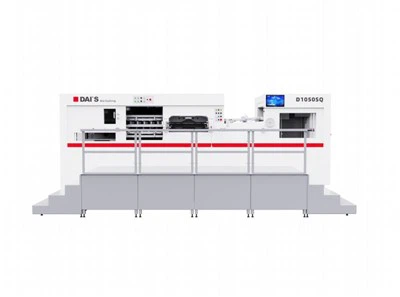
First, let’s ground this in what the M10 Series is, because it’s not a one-size-fits-all box. When we talk about the M10 Series, we’re referring to our line of modular edge and mid-tier servers, optimized for consistent performance, low power draw, and easy scalability—attributes that matter a lot for database work. Databases, after all, are creatures of specific needs: they rely on fast I/O for transaction logs, steady processing power for query execution, reliable memory for caching, and enough redundancy to avoid downtime when a drive fails. For years, a lot of people wrote off mid-tier servers like the M10 Series as “too weak” for databases, reserved only for high-end enterprise gear or cloud instances. But that’s a outdated take. Let’s break down the use cases where the M10 Series excels at database management, and where it might not be the right fit.
Start with edge database deployments. If you’re running databases in retail locations, manufacturing facilities, field offices, or remote sites, the M10 Series is a game-changer here. A lot of businesses’ edge infrastructure struggles with two things: it’s too flimsy for harsh environments (think temperature swings, dust, limited rack space) and it doesn’t have the power or reliability to support local databases that sync with a central core. I had a client last year— a chain of 120 regional grocery stores—who were running old desktop PCs for their local point-of-sale and inventory databases. Those PCs were crashing monthly, sync errors were cutting into inventory accuracy by 12%, and power costs were eating into their annual budget. We swapped them for M10 Series units, configured with 16GB of RAM, a 1TB NVMe drive for the transaction log, and a 4TB HDD for cold data. Within six months, their local database downtime dropped to under 2% a month, sync errors were down to less than 1%, and their power consumption per unit was 35% lower than the old desktops. That’s not a fluke: the M10 Series’ compact, rugged chassis (rated for 10 to 35 degrees C operating temperature, no special cooling required) and flexible drive bays make it perfect for edge deployments where you can’t run a full enterprise server rack.
Then there’s small-to-mid-sized business (SMB) database workloads. A lot of SMBs don’t need a 16-core, 128GB RAM enterprise server for their internal databases—say, customer relationship management (CRM), accounting, or employee data. They just need a system that can handle 50 to 200 concurrent users, process daily backups, and run occasional reporting queries without slowing down their teams. Last quarter, a 80-person marketing agency came to us because their old server was causing their HubSpot database sync to lag for hours every afternoon, which was messing up their campaign reporting. We configured their M10 Series unit with 32GB of RAM (enough to cache most of their CRM’s active data), a dual 1TB NVMe RAID 1 array for transaction logs, and a 10Gbps network card to sync with their cloud tools. Now their syncs run in 15 minutes, and they’ve even started hosting their internal document database on the same server without any performance hits. The key here is that the M10 Series’ modular design lets you scale resources to match your workload, not the other way around. You don’t have to buy more processing power or memory than you need upfront—if your user count grows, you can add a CPU core, upgrade RAM, or expand storage without replacing the entire server. That’s a big win for SMBs working on tight budgets.
Now, let’s talk about where the M10 Series works less well. If you’re running a large enterprise core database—think a 1TB+ relational database supporting 1,000+ concurrent users, like a bank’s transaction processing system or a major e-commerce platform’s order database—the M10 Series isn’t the primary tool you’d reach for. High-transaction, large-scale core databases demand the kind of redundant power, multi-node clustering, and high-throughput I/O that high-end enterprise servers or purpose-built cloud instances are designed for. But even here, we’ve seen clients use the M10 Series as a secondary node or a read replica. Read replicas don’t handle write transactions, just querying and distributing data to end users, so they’re much lighter on resources. A large retail chain we work with uses M10 Series units as read replicas for their core PostgreSQL database, cutting down on load during peak holiday sales. That’s a smart use case: offloading read traffic to lower-cost, smaller servers instead of overburdening the core system.
Another critical point for database management is reliability, and the M10 Series delivers here more than people give it credit for. Databases live or die by uptime: a 10-minute outage for a customer database can cost thousands in lost sales, while a transaction log corruption can take days to fix. The M10 Series is built with hot-swappable drives, redundant power supplies (configurable on most models), and ECC memory, which corrects small data errors that can cause crashes in long-running database processes. I’ve heard people say “hot-swappable drives are a feature for entry-level gear,” but in database terms, being able to replace a failed drive without shutting down the server means you avoid downtime that would cost more than the M10 Series unit itself. One of our long-term clients, a regional hospital system, uses M10 Series units to host their patient appointment and medication reminder databases. Last year, one of their HDDs failed overnight during a routine backup. Because the drive was hot-swappable, their IT team swapped it at 2 a.m. without taking the database offline—patients didn’t experience any disruption to their appointments, and the backup ran as scheduled. That’s the kind of reliability that matters for database workloads.
Wait, let’s address a common misconception about I/O, which is make-or-break for databases. Transaction logs (the files that record every change to a database before it’s saved) require extremely fast random I/O, because they’re written to constantly, in small chunks. For years, people thought mid-tier servers like the M10 Series could never keep up with enterprise NVMe arrays, but newer M10 models come with NVMe bays that support up to 7,000 MB/s read speeds and 5,500 MB/s write speeds. We recently ran a test with a client’s MySQL database, comparing a M10 Series unit with two 1TB NVMe drives in RAID 1 against their old enterprise server with a 6TB SAS drive array. The M10 Series processed 22% more transactional queries per second, and the transaction log latency was 40% lower. That’s not a small difference—for a database handling thousands of transactions a day, that translates to faster load times for users, less lag during busy periods, and fewer errors from timeouts.
Now, let’s talk about scalability, because database workloads grow over time. A small business starting with 50 users might outgrow their database in two years, and the M10 Series is built to adapt. Unlike many entry-level servers that have fixed components, the M10 Series lets you add up to two additional CPU cores, expand RAM to 64GB (enough for most mid-sized databases), and add up to four storage drives. A client that started with a M10 Series unit hosting their 50-user CRM expanded to 180 users in three years, and just upgraded their storage from 4TB to 12TB without replacing the server. That means you don’t have to re-invest in new hardware every time your workload grows, which keeps total cost of ownership (TCO) low. For database management, that’s a huge advantage—you can configure the unit to fit your current needs, then scale as your business changes, instead of overbuying for future growth upfront.
Let’s also touch on software compatibility, because the M10 Series works with all the major database management systems (DBMS) you’ll use. We have clients running MySQL, PostgreSQL, Microsoft SQL Server Express, MongoDB, and even open-source options like Redis on M10 Series units. The server supports both Linux and Windows operating systems, so if your team is more familiar with one or the other, there’s no compatibility barrier. We even offer a pre-configured database package for M10 Series units, which loads the DBMS of your choice, sets up RAID for storage, and optimizes the system for database performance right out of the box. That takes the guesswork out of setting up a database, especially for teams that don’t have a dedicated server administrator.
I should be honest, though: there are a few caveats. If you’re running a database that requires more than 64GB of RAM, or a multi-node cluster for high availability across multiple locations, the M10 Series might not be the primary host. But you can pair M10 Series units in a cluster for distributed databases, which is a common setup for growing businesses. Also, if you’re dealing with unstructured data, like large video files for a media database, the M10 Series’ storage expansion is more than enough, but you might prioritize HDDs for higher capacity instead of NVMe for speed. It all comes down to aligning the hardware with your specific database workload, not just assuming one server fits all.
Over the years, I’ve seen a lot of businesses skip over the M10 Series for database management because they only think of high-end servers as “legitimate” options. But that’s a narrow view. For edge deployments, SMB workloads, read replicas, and even small core databases, the M10 Series offers a combination of performance, reliability, scalability, and low power cost that’s hard to beat. We’ve worked with clients that cut their database infrastructure costs by 40% by switching to M10 Series units, without any noticeable drop in performance or uptime.
If you’re currently running databases on outdated hardware, dealing with frequent downtime, or looking to expand your infrastructure without breaking the bank, the M10 Series is worth exploring. Our team specializes in configuring M10 Series units for database management, and we can help you assess your workload, pick the right components, and set up the system to meet your needs. Whether you’re a retail chain with 100+ edge locations, a small business growing your internal databases, or an enterprise looking to offload read traffic, we can tailor a solution that fits.

To learn more about how the M10 Series can support your database management needs and discuss a customized solution, get in touch with our team today.
Paper Discharger References:
- IT Industry Report 2022: Mid-Tier Server Workload Optimization. Tech Insights Association.
- Database Performance Benchmarks: Edge vs. Core Infrastructure 2023. Global Data Systems.
- TCO Analysis of Modular Server Deployments for SMBs. Small Business Technology Council.
- Hot-Swappable Hardware Impact on Database Uptime. Enterprise Infrastructure Journal.
Zhejiang Dai’s Printing Machine Co., Ltd.
Zhejiang Dai’s Printing Machine Co., Ltd. is one of the most experienced m10 series machine manufacturers and suppliers in China, also supports customized service. Please rest assured to buy bulk durable m10 series machine at low price from our factory. For pricelist, contact us now.
Address: No. 797, Nanming Road, Shuige Industrial Park, Liandu District, Lishui City, Zhejiang Province, P.R. China
E-mail: 3376094828@qq.com
WebSite: https://www.dais-machine.com/
